


AI meeting bots in recruitment: how they work (2026)

Last updated: 29 May 2026. Features and channel support were verified on this date via the official vendor pages. Where a feature is not stated publicly, it is phrased that way. Vendors revise their offering regularly, so check the vendor site for the current state.
Two ways an AI records your conversation
Open almost any AI notetaker's site and you read the same promise: your conversations are recorded automatically, summarized, and the action items land in your inbox. Sounds simple. But underneath that promise sit two fundamentally different techniques, and the difference matters more than you'd think.
The first way is the joining bot. The tool sends a separate participant into your Zoom, Teams or Google Meet call. That bot shows up in the participant list, often with a name like "Otter.ai Notetaker" or "Fireflies Notetaker". Everyone in the call sees it sitting there. It records, transcribes, and disappears when the call ends.
The second way is bot-less capture. Here no separate participant runs along. Instead, a desktop app or mobile app records the audio locally on your own device. Nobody in the conversation sees an extra name in the list. It also works outside of a video meeting, so during a phone call or a conversation at the table.
This is the point recruiters often read past. A joining bot only works in an online video meeting. Got a candidate on the line on a mobile number? A joining bot can do nothing there. Sitting across the table from someone for an intake? Same. For recruitment, where far from every conversation is a scheduled Teams call, that distinction is the difference between "this tool covers my work" and "this tool covers a third of my work".
The joining-bot model: visible in the call
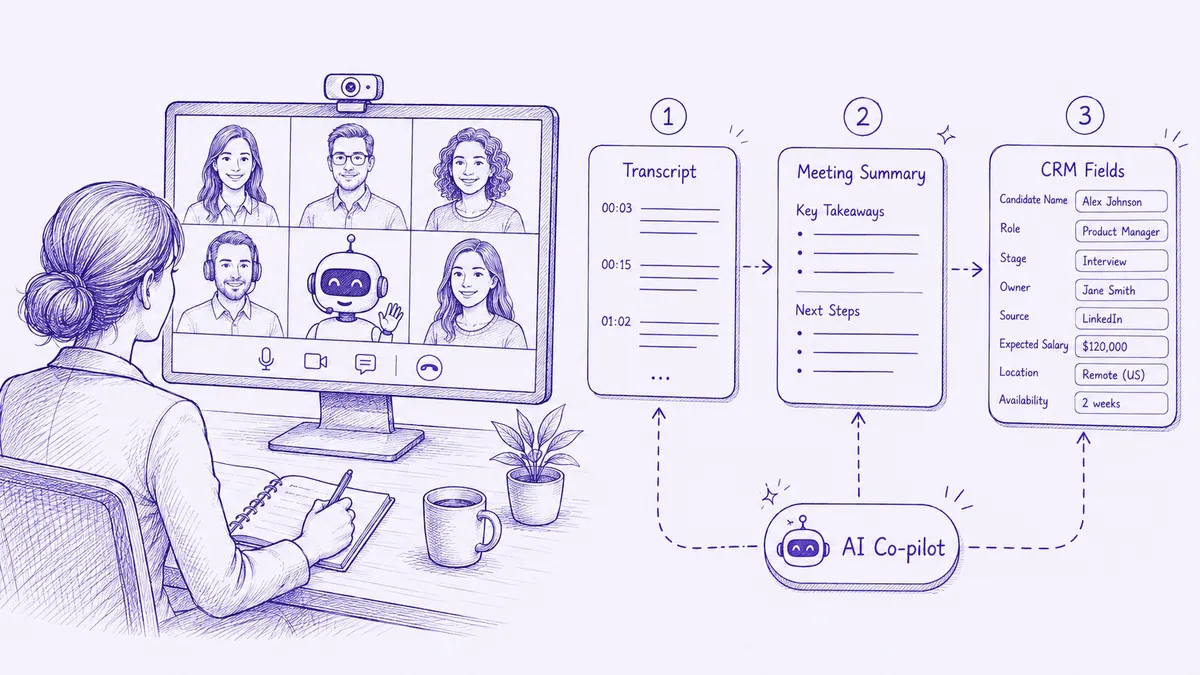
What does this look like in practice? You connect your calendar to the tool. Just before a scheduled meeting, the tool automatically sends a bot to the video link. The bot sometimes asks for access ("X wants to join"), sometimes it comes straight in if the settings allow it. During the call it records. Afterwards you get a transcript and summary.
Most of the well-known notetakers work this way. Read.ai, Otter, Fireflies and Fathom all send a bot into your Zoom, Teams or Meet call. The recruitment-specific players do it too: Metaview, Carv and Simply support meeting bots for the common video platforms.
What are the upsides? One of them is almost accidental, and it's an important one. That visible bot in the participant list is a consent signal. Everyone sees that recording is happening. For GDPR, where transparency about processing is a core obligation, that helps. A candidate who sees "Fireflies Notetaker" in the list can say something about it. The bot's presence makes the recording explicitly visible.
And the downsides? The bot only works in online video meetings. A joining bot doesn't enter your phone call, doesn't sit at your meeting table, and doesn't join a spontaneous conversation that wasn't planned from a calendar item. On top of that, a visible bot can affect the conversation. Some candidates talk differently when they see a "notetaker" watching along. And you depend on the calendar connection: no calendar item, no bot.
The bot-less model: recording without a visible participant
With bot-less capture, an app records the system audio of your device. No extra participant in the call. This model has one big practical upside: it works across more channels than just video.
A desktop app (Mac or Windows) can record a browser-based meeting without a bot coming in. A mobile app can record a conversation at the table, or a phone call. That makes the model usable more broadly for recruitment, where your conversation mix is rarely purely online.
Fathom has a mobile app for in-person meetings alongside its joining bot, but no VOIP for phone. Otter and Read.ai offer desktop and mobile apps alongside their bots. For both, VOIP for phone is not stated on the public pages. Simply combines both models, more on that shortly.
But there's a flip side, and it's a legal one. No visible bot means no visible consent signal. If there's nobody in the participant list radiating "I'm recording", the responsibility falls entirely on you to actively ask for consent beforehand and to log it. With a phone call or an in-person conversation that's your duty anyway, regardless of the tool. A bot-less recording is no less legal, but it asks for a tighter consent routine of your own.
Per tool: which model
Below is the recording model per vendor, in alphabetical order. Per claim the public source as reference; where something isn't stated, it's phrased that way.
Carv
Carv positions itself as an agentic recruiting platform for volume hiring, with a whole stack of autonomous agents. Meeting bots for video platforms fit that scope. What Carv does not publicly specify is which channels fall under it: whether there's a mobile app for in-person conversations, whether phone is supported, or exactly which recording model is used outside the video context. That is not stated on the public pages.
Fathom
Fathom uses the joining-bot model for Zoom, Teams and Google Meet. In addition, Fathom has a mobile app to record in-person conversations, so bot-less capture for in-person. What's missing is VOIP: phone calls are not supported on the public pages. For a recruiter who speaks online and at the table Fathom fits, for someone who calls a lot it doesn't.
Fireflies
Fireflies works with a joining bot for the common video platforms and has the widest integration set in this list. Phone doesn't run through a bot-less channel of its own, but through integrations with VOIP providers like OpenPhone, Zoom Phone, RingCentral and Aircall. That means a separate VOIP subscription alongside Fireflies. It works, but it's a connected solution rather than one tool that covers phone natively.
In2Dialog
In2Dialog is a Dutch recruitment tool that supports online meetings and face-to-face conversations. For phone there's a paid add-on ("Integrated Telephony", price on request), recurring on top of the subscription. The exact recording model per channel isn't detailed on the public pages, but the coverage of online plus face-to-face plus phone add-on points to a mix of bot and local capture.
Metaview
Metaview supports meeting bots for video conferencing platforms. Whether there's a mobile app for in-person conversations, VOIP for phone, or Dutch mobile numbers, is not stated on the public pages. Only the video context is mentioned generically. For recruiters working purely online that's no problem; for those who call or sit at the table, the coverage is not publicly confirmed.
Otter
Otter uses a joining bot for Zoom, Teams and Meet, and also offers desktop and mobile apps. VOIP or phone is not stated on the public pages. Important for Dutch recruiters: Otter does not support Dutch, the pricing page explicitly names only English, French and Spanish. For a Dutch intake that's a blocker on its own, regardless of the recording model.
Read.ai
Read.ai sends a joining bot into your Zoom, Teams or Meet call and also has desktop and mobile apps. Dutch is explicitly in their language list, which makes it one of the few international tools with Dutch output. What's missing: no ATS integrations and no VOIP/phone on the public pages. Good for the pure notetaker role in Dutch, not for a phone-heavy workflow.
Simply
Simply is the only one in this list that combines both models into an omnichannel approach. So you don't have to choose between "bot" or "bot-less", you have both in one tool:
- Meeting bots for Google Meet and Microsoft Teams (the joining-bot model)
- Desktop app for Mac and Windows, for browser meetings without a bot coming in (bot-less capture)
- Mobile app for Android and iOS, for in-person conversations at the table
- VOIP for phone, outbound and inbound, including Dutch mobile numbers (Pro tier and up)
That's the difference. Where most tools depend on one model, Simply covers a recruiter's whole conversation mix: the scheduled Teams call, the spontaneous browser meeting, the introductory chat at the table, and the call to a candidate on their mobile. Simply is Dutch-native and EU AI Act compliant. More about this on the omnichannel recording page.
What it means for consent and GDPR
Let's be clear about the legal part, because this is where the practical pain sits. Under GDPR, recording a conversation is a processing of personal data. That requires a legal basis and transparency toward the data subject. For recruitment that means: your candidate must know that recording is happening, and ideally why.
A visible joining bot helps with that. It makes the recording visible in the call. That's no substitute for consent, but it is a transparency signal that's hard to miss. Nobody can claim afterwards that they didn't know a notetaker was running if it was in the participant list.
With bot-less capture, the bar sits with you. No bot in the list means the transparency has to come entirely from your mouth. With a phone call or an in-person conversation that's the case anyway, because there's no bot there by definition. The rule is simple: announce beforehand that you're recording, log the consent, and make sure you have a legal basis. That goes for every model, but with bot-less capture there's no technical safety net that gives the signal for you.
A tool that works across all channels makes this easier rather than harder, provided it supports the consent flow. You then have one consent routine instead of four different ones, depending on whether the conversation was online, at the table or by phone. For the broader legal context, see our guide on GDPR and the AI Act for recruitment tools.
Which model fits your work?
The choice doesn't start with the tool, but with your conversation mix. Try counting for a week where your conversations take place.
Do you do almost everything via scheduled Teams or Meet calls? Then a joining-bot tool is enough. Read.ai for Dutch output, Fireflies for the widest integrations, or a recruitment-specific player if you want notes integrated into your ATS.
Do you also speak to candidates at the table? Then you need at least a mobile app alongside the bot. Fathom covers that, In2Dialog and Simply too.
Do you call a lot, and especially candidates on their mobile number? Then you rule out almost all joining-bot-only tools. A joining bot doesn't enter a phone call. You need VOIP, and specifically for Dutch mobile numbers Simply Pro is at this moment the only one in this comparison that publicly confirms it. A deeper look at phone recording is in our article on VOIP tools for recruitment.
And if your work is a mix of all three, which is true for most recruiters, then you want an omnichannel approach that doesn't depend on one model. Otherwise you buy a tool that covers part of your conversations and manually patch the rest around it.
For the broader choice between tools per agency type, see choosing recruitment AI per agency type. For a full vendor comparison on pricing and features, see AI notetakers for recruitment compared. And for the tech behind analyzing those recordings, see conversation intelligence in recruitment.
---
Features and channel support verified as of 29-05-2026 via official vendor pages. Where a feature is not stated publicly, it is phrased that way, not as an absolute claim. Vendors revise their offering regularly, check the vendor site for the current state.

