
Simply’s AI, inside your own Salesforce.
Conversation notes with every data point in your own fields, CV parsing and CVs in your house style. It’s a managed package, so your recruiters stay in Salesforce.


A summary and every data point, from each conversation.
Simply writes the notes and puts each separate detail, from salary to notice period, in the right Salesforce field.
Simply · Conversations
- Five years as a full-stack engineer, mostly TypeScript and React.
- Wants a hybrid role close to Utrecht, up to 60 km away.
- Asks €4,000 a month and can start in December.
- Open to leading a small team within a year.
Data points → Contact
- Desired Salary€40,000 – €50,000—
- Availability Date1 Dec 2026—
- Max. Travel Distance6060
- IT skillsTypeScript, ReactTypeScript, React
- Notice PeriodOne monthTwo months
Summary and data points in one go
Any data point you can think of, like salary, notice period or travel distance, plus the summary, in the field you choose. Reformatted to that field’s options and requirements, and anything it would overwrite, you see first and decide.
What else Simply does inside Salesforce.
Lightning components sit on the pages your recruiters already use, so nobody has to switch tabs.
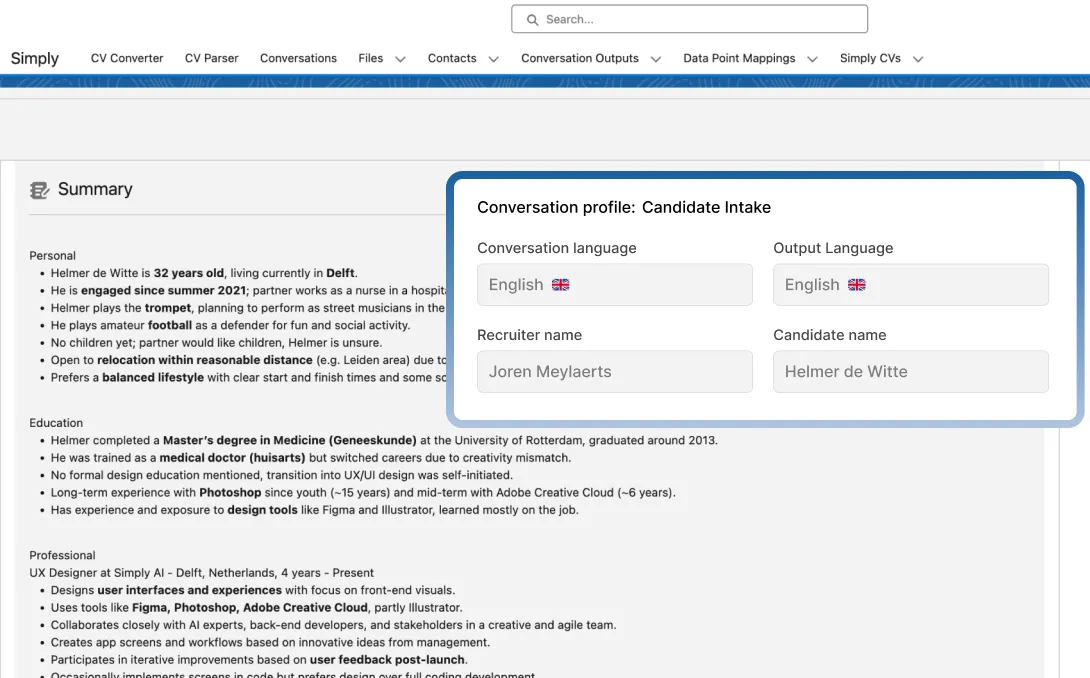
Any kind of conversation
Teams, Meet, a phone call or across the table, each with its own conversation profile.
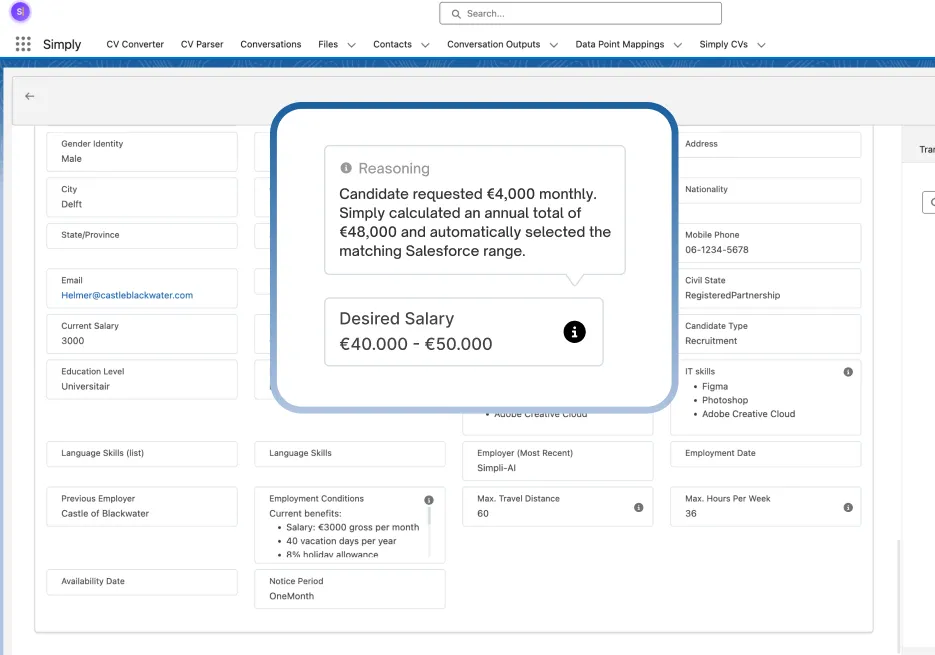
CV and vacancy parsing
Every detail goes into the field it belongs in, converted first where it has to be.
CV as received
In your house style
CV_Noor_de_Vries.docx · Editable in Word
CVs in your house style
One click turns any CV into an editable Word document in your own branding.
Runs inside your own org.
You install it from AppExchange, upgrades arrive on their own and the app doesn’t count against your org limits.
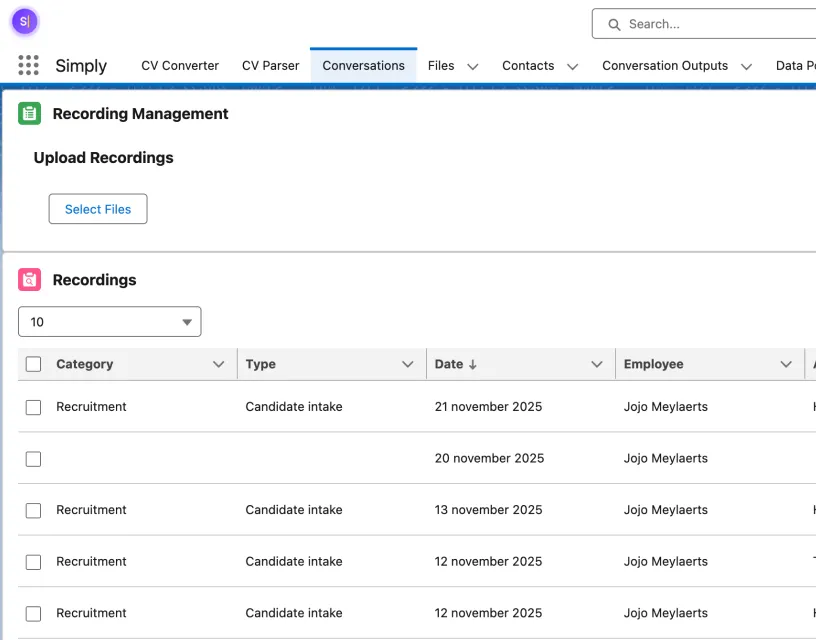
Every conversation on the record
Intakes, client briefings and meetings, listed by type and recruiter in a Lightning view.
 AppExchange
Simply: AI Notetaking, CV Parsing & CV Conversion
Provider Simply
5.00rating
Automate interview notes, parse CVs, and format resumes instantly.
- Solution type
- Salesforce App
- Listed on
- 26 May 2025
Live on AppExchange
A Lightning Ready managed package. Your admin installs it from the listing, or tries it first.
What Salesforce teams ask us.
Is this the Simply ATS?
No. The Simply ATS is a platform of its own. The Salesforce app is for teams that stay on Salesforce and want Simply’s AI there, and we keep maintaining it and shipping updates through AppExchange.
Does it work with our own fields?
Yes. Under Data Point Mappings you pick the Salesforce field for each data point, from conversations and from CVs alike. Simply converts a value to fit that field before saving it, such as a monthly salary into an annual range. If it would overwrite a value that is already there, you see it first and decide.
Which conversations can it capture?
Online meetings in Microsoft Teams and Google Meet, phone calls, and in-person conversations through the mobile app. You can also upload a recording you already have.
How do we install it?
Through the AppExchange listing. It’s a managed package, so upgrades install themselves. We set up a Simply account for you, you connect the package to it, and you’re ready to go.

Bring Simply’s AI into Salesforce.
See the app on AppExchange, or book a demo and bring your admin along.